
Overview
Kwala now supports Web2 login — you can sign in with your email address or Google account, without needing a browser wallet extension like MetaMask or a seed phrase. Once you log in, Kwala automatically creates a secure blockchain wallet for you behind the scenes. All workflow operations — saving, deploying, and triggering — are handled on your behalf. You never see a transaction signing prompt. If you already use MetaMask, nothing changes for you. Web2 login is an additional option, not a replacement.Each Kwala account gets exactly one wallet. It persists across sessions and is tied to your account. Logging out does not delete it.
How to sign in
Two login methods are available. Both can be accessed from the Kwala login page and work on any device.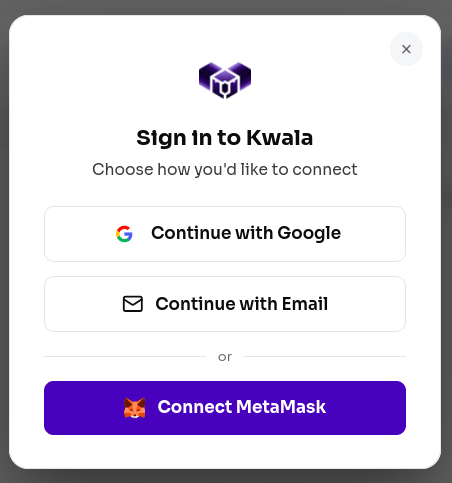
Email (passwordless)
Enter your email address and you will receive a one-time code. Enter the code to complete sign-in. No password required.- Codes expire after 10 minutes.
- Each code can only be used once.
- There is no separate account creation step — your first login creates your account automatically.
Google account
Click Sign in with Google and complete the standard Google OAuth consent. Kwala only reads your email address — no access to your Google data, Drive, or contacts is requested.What happens after login
After you sign in for the first time:- Kwala verifies your identity through Privy.
- A secure blockchain wallet is created for your account automatically.
- A small starting KWALA credit balance is added to your account so you can immediately save and deploy workflows.
- You are taken to the Kwala dashboard.
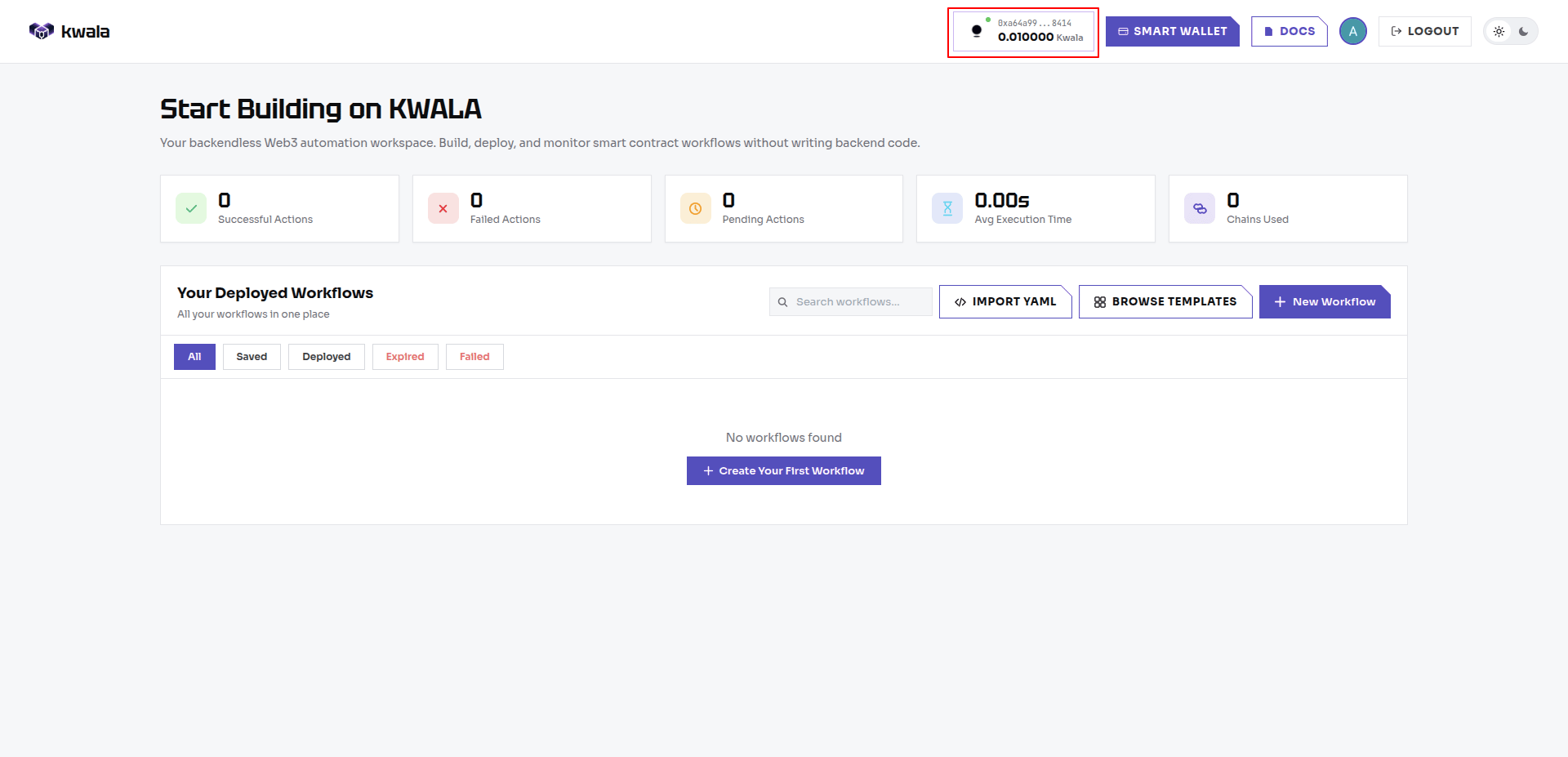
Your Privy wallet
When you log in with email or Google, Kwala creates a blockchain wallet for you automatically. This wallet has a real blockchain address (starting with0x...) and is used to record your workflows on-chain.
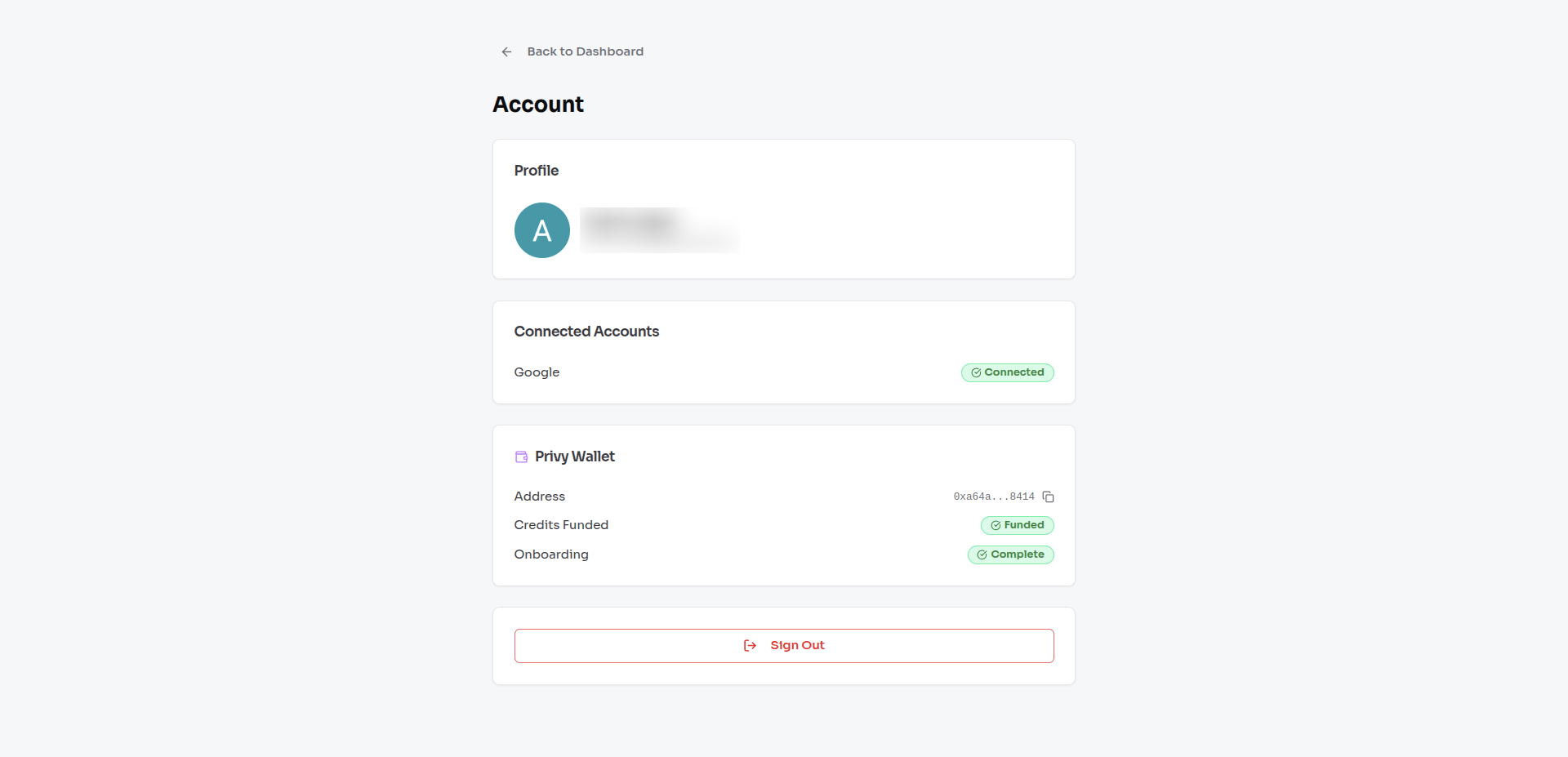
You do not manage the private key
Unlike MetaMask, you do not hold a private key or seed phrase. The wallet is managed securely by Privy’s infrastructure using a technology called MPC (Multi-Party Computation), which splits the key across multiple independent systems so no single party — including Kwala — can access it alone.What your wallet is used for
- Saving workflow definitions on-chain.
- Deploying workflows to the Kwala network.
- Triggering workflow execution.
- Updating workflow expiry settings.
- Creating smart wallets on supported chains (For supported chain look here: Supported Chains).
You never sign transactions manually
All blockchain operations happen automatically when you click an action in the Kwala UI — Save, Deploy, Trigger, and so on. There is no pop-up asking you to approve a transaction. Kwala handles signing securely on your behalf.Frequently asked questions
Can I use the same account on multiple devices?
Can I use the same account on multiple devices?
Yes. Your Kwala account and wallet are tied to your email or Google identity, not a specific device. Sign in from any browser and your workflows and wallet are available.
Can I connect my Web2 wallet to MetaMask or another wallet app?
Can I connect my Web2 wallet to MetaMask or another wallet app?
No. The Privy server wallet does not expose a private key or seed phrase, so it cannot be imported into external wallet apps. It is accessible through the Kwala platform only.
Is my wallet address permanent?
Is my wallet address permanent?
Yes. Once created, your wallet address never changes. It is tied to your Kwala account for its lifetime.
Do I need ETH in my wallet?
Do I need ETH in my wallet?
No. Privy wallets on Kwala use credits, not on-chain ETH. Your wallet address will show a zero ETH balance if you check it on a block explorer — this is expected and normal.